

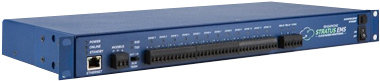
Version 1.7.4 of the Sensaphone SCADA 3000 computer software and unit firmware is now available. The compressed file below contains the full SCADA 3000 Software Installation. If you have a previous version of the SCADA 3000 Software, you can save time by using the Sensaphone Software Upgrade Program, which can be found by clicking the Windows Start button, then selecting Programs>SCADA 3000 on your computer. You must be connected to the Internet to use this program. The Software Upgrade program will compare your current version to the newest version and only download the necessary files. Remember that to install the new firmware into your unit you will need to follow the procedure described in Appendix F of your User's Manual.
Follow the instructions below to download and install the software updates. You will need to use a decompression program such as PKunzip or Winzip to uncompress the file. Note that all of your program files, datalog files, eventlog files, ladder programs and C Programs will be preserved if you follow the instructions below.