


Cloud-Based Environmental Monitoring for the mobile age
Life doesn't stand still and neither do you. An amazingly intuitive web-based control panel gives you the freedom to monitor environments from anywhere.
HOW IT WORKS

SENSORS
Connect up to 12 sensors to monitor temperature, humidity, power failure, water leaks, equipment and more. The Sentinel Pro adds the ability to poll up to 64 Modbus registers.

SENTINEL
Once the sensors are connected, connect the Sentinel to the internet or activate the cellular service. Your Sentinel instantly begins monitoring and collecting data.
IN THE CLOUD
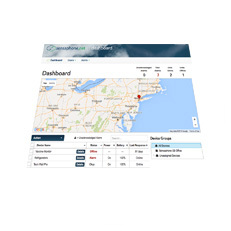
Log in to sensaphone.net and create a free account to access, program and view real-time data from your Sentinel.
ALARMS
Need to know when something is wrong? The Sentinel can call, text or email alarms to an unlimited number of contacts. A flexible alarm delivery system allows unlimited customization that includes different users and alarm destinations.
DATALOG
Are you responsible for keeping tabs on your application? Do you need proof that everything was okay? No problem. Enhanced data logging capabilities allow users to print, graph or export accurate historical records.
REAL-TIME STATUS UPDATES
Away on vacation? At the beach for the weekend? Check on your system by using the Sentinel app or logging into your account from any mobile device. Get access to real-time data without leaving the couch.
Monitor Your Environment Anywhere, Anytime
The cloud-based Sentinel allows you to monitor remote facilities and environments. Check the status of critical equipment with the same degree of certainty you’ve come to expect from Sensaphone.
Sentinel offers immediate access to your readings. Monitor your environment from anywhere using a simple, powerful web-based interface and mobile app. If there’s a disruption, you’ll be the first to know. Alerts can be sent straight to your mobile device—keeping you updated and giving you peace of mind wherever you are.
With the Sentinel mobile app, it's quick and easy to:
• Check the real-time status of your system
• Acknowledge alarms
• Make programming changes
Download the App

Compatible with 1,000s of Sensors
Sensaphone offers a full line of environmental monitoring sensors, from simple temperature sensors to more advanced air quality and pressure sensors. The Sentinel system works with a variety of monitoring sensors and devices designed for all types of environments.
But the monitoring options don’t stop there. The Sentinel system will accept any third-party sensor that uses an analog or digital signal.
We've Got Your Back
We built the Sentinel system using expertise we developed over more than 30 years working with remote monitoring systems. It’s our most robust and reliable solution yet.
CLOUD SUPERVISED
Cloud-based technology means your system is up and running 24/7. The device is constantly communicating with our cloud servers. If the cloud notices that your device is no longer communicating, you'll receive an alarm.

MANAGEABILITY
Need more than one device? No problem. You can manage as many devices as needed from a single login. The flexible interface allows supervisors to give permissions to different users.

BATTERY BACKUP
What happens when the power goes out? The system will send an alarm and keeps recording data and operating as usual. With a rechargeable battery backup system, both cellular and Ethernet based Sentinel systems will operate for up to 8 hours on battery power.
More than Just an Auto Dialer
Sensaphone has spent the last 30 years creating and supporting the most reliable and robust auto dialer systems available. The Sentinel system goes above and beyond our traditional systems and is quickly becoming the most popular Sensaphone product.
RECEIVE INSTANT NOTIFICATIONS
If any of your monitored conditions exceed their set limits, you'll receive immediate alerts, not just when you need them, but also where you'll see them. You can configure your device to send notifications via a phone call, text, or email.
DATA LOGGING MADE EASY
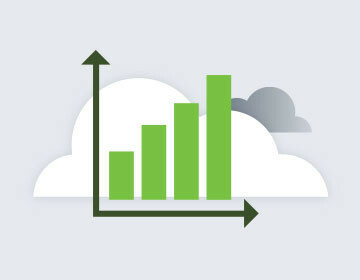
With cloud-based storage, all of your sensor readings are securely archived and readily available from anywhere. Data is never lost, and you have complete control of storage capacity. The Sentinel system can also generate an audit trail of all user data activities, edits or deletions.
GET UPDATES IN REAL TIME
An amazingly intuitive web-based control panel gives you the freedom to monitor environments from anywhere at anytime without the hassle of installing extraneous software. You can securely and easily manage as many devices as you need toall from a single interface.